Support the operator
Bring location, proximity and speed-limit information together to help the operator recognise conditions requiring attention.
Dynatrack · Private-fleet operational safety
Dynatrack is a locomotive-based collision-avoidance and speed-adherence system for small fleets on private mining and industrial rail networks. It combines locomotive position and movement information with mapped track and site-specific operating rules.
The system works alongside the locomotive operator, providing warnings before configured intervention. Central monitoring and activity history give train controllers and operations teams a clearer view of fleet movements.
Operational benefits
Bring location, proximity and speed-limit information together to help the operator recognise conditions requiring attention.
Configure warnings and locomotive intervention around the railway, fleet and operating requirements rather than treating every site as identical.
Give train controllers a central view of locomotive activity to support operational coordination.
Use movement history and event information to investigate operating patterns and support audit, maintenance and follow-up.
Core functions
Collision protection, speed adherence, driver identification, vigilance and acknowledgement, fleet monitoring, replay and reporting are standard product functions. Locomotive interfaces, mapping and operating settings are engineered for each site.
GNSS positioning relates movements to the configured railway map. Collision assessment considers separation along the relevant rail route, rather than straight-line proximity alone; speed rules include location-based restrictions and upcoming lower-speed sections.
The onboard controller assesses configured collision-risk conditions locally, warns the driver and commands intervention when protection limits are reached. Intervention uses a voltage-free contact interface to apply the locomotive’s existing braking systems; it does not depend on driver acknowledgement.
Compare speed with location-based limits, including upcoming lower-speed sections. Site-specific rules define warnings and intervention for the railway’s operating requirements.
Associate movements and events with the recorded driver. The driver display presents status, warnings and acknowledgement information, with audible indications and vigilance inputs. Fingerprint identification is part of the product; equipment and site policy define its implementation.
Bring configured locomotive emergency notifications into the control room for acknowledgement and follow-up. Emergency-input reporting is distinct from the onboard collision-intervention function.
On board the locomotive
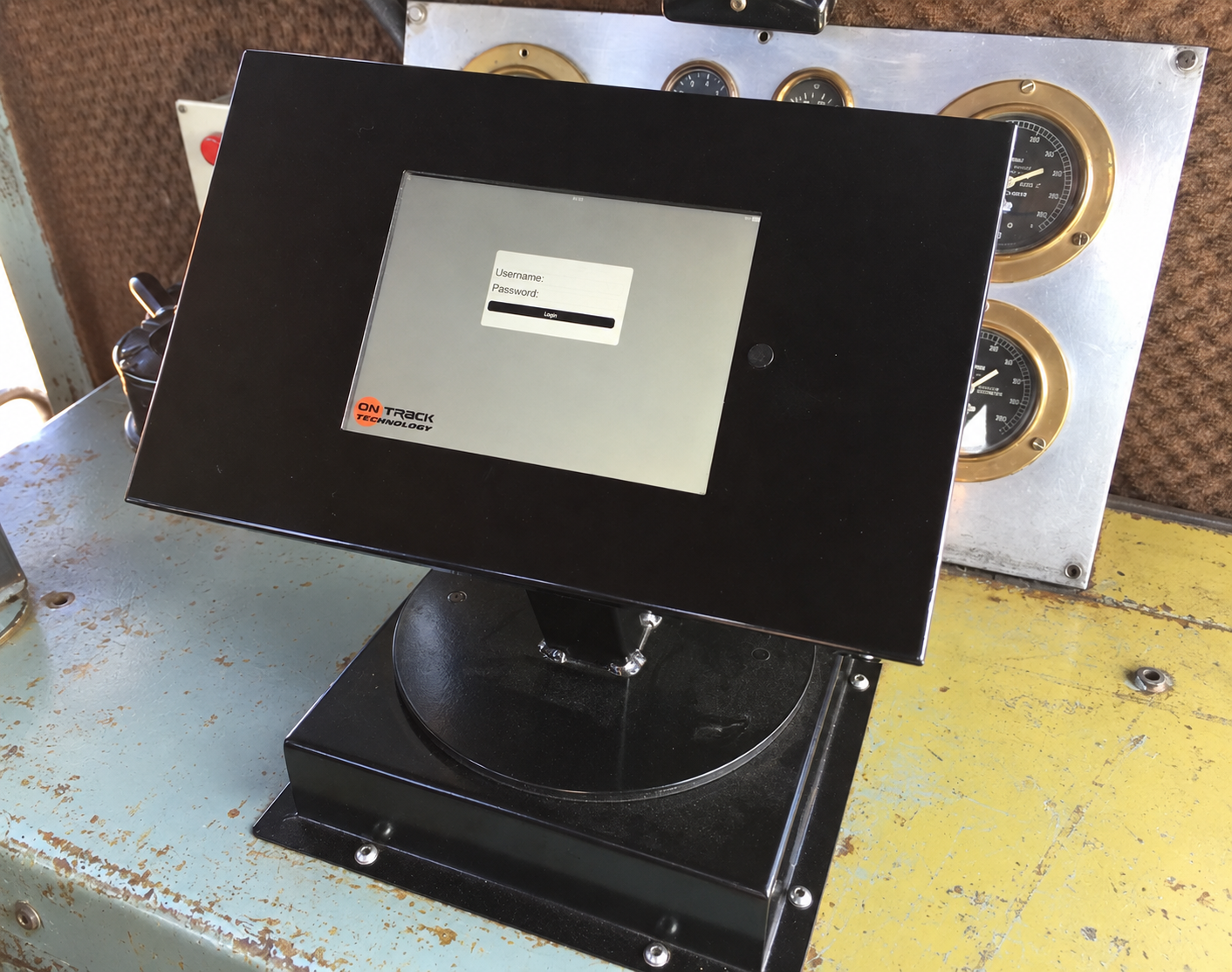
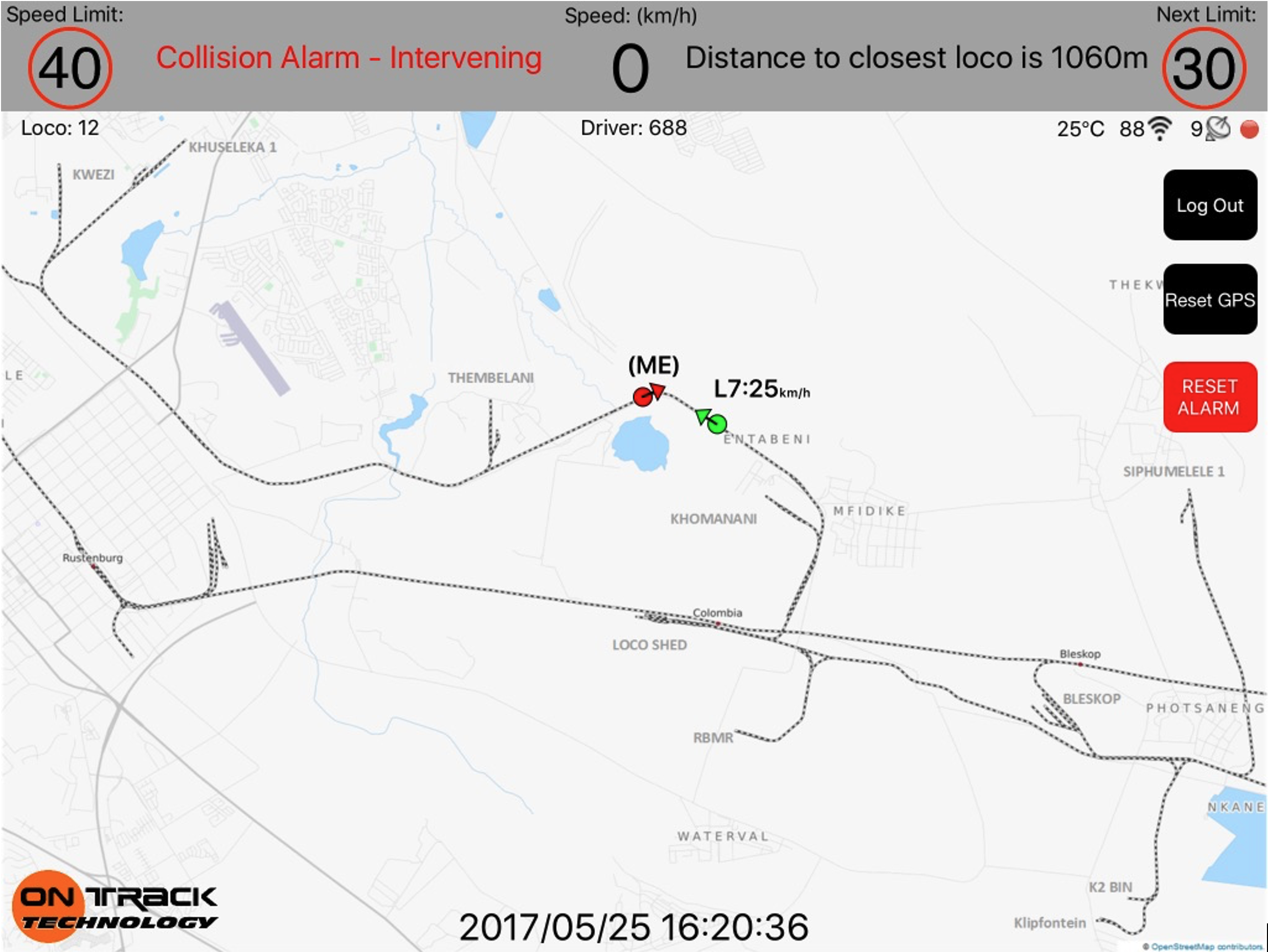
The driver display brings the railway map, speed, applicable limits and nearby locomotive information into the cab. Visual and audible warnings draw attention to conditions requiring a response, while the onboard controller evaluates configured protection rules locally.
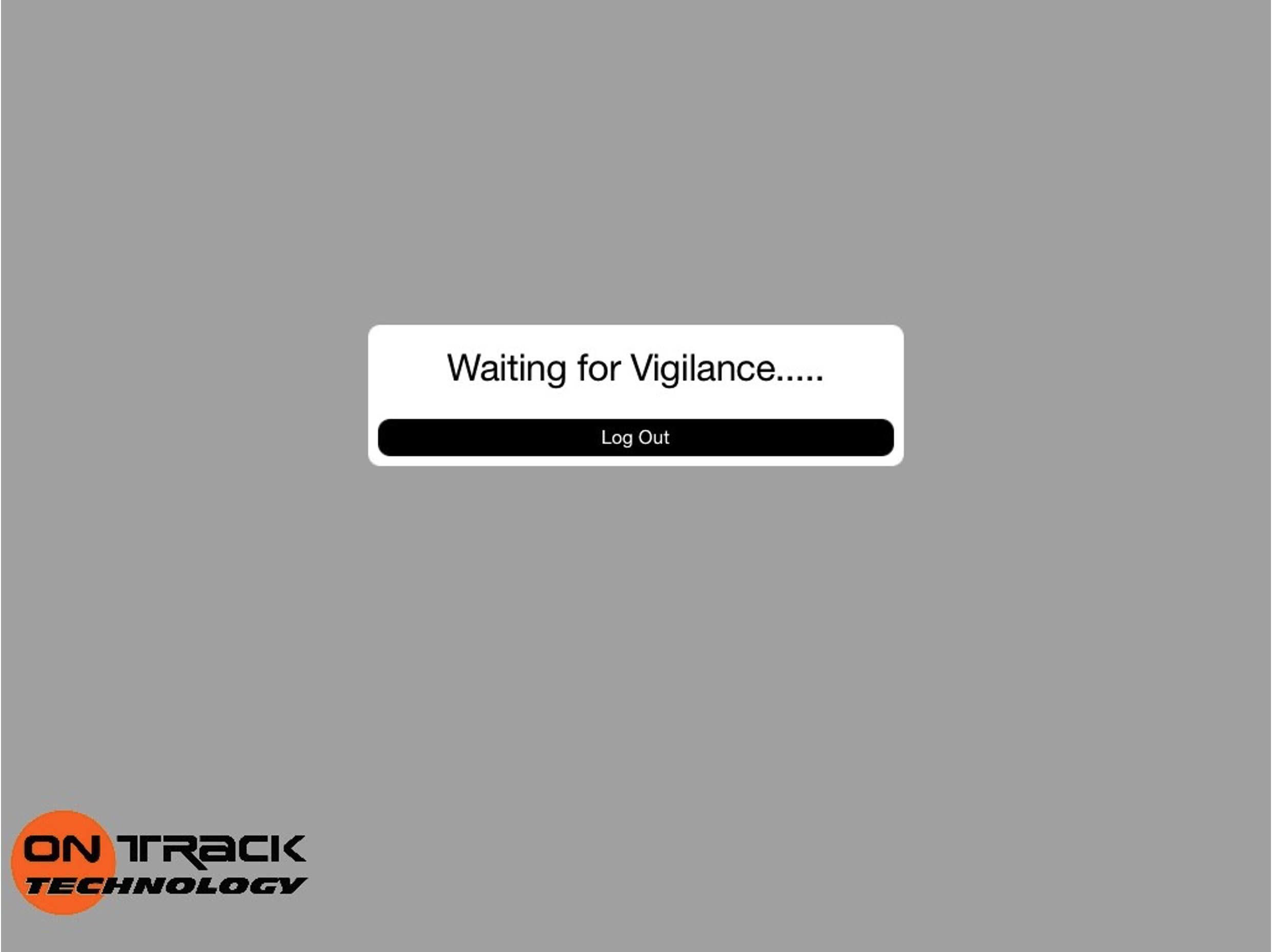
Vigilance and acknowledgement form part of the driver workflow. Driver identification links movements and events to the recorded operator. The screens below illustrate warning information and a vigilance prompt; interface layout is configured for the installation.
Fleet monitoring and review
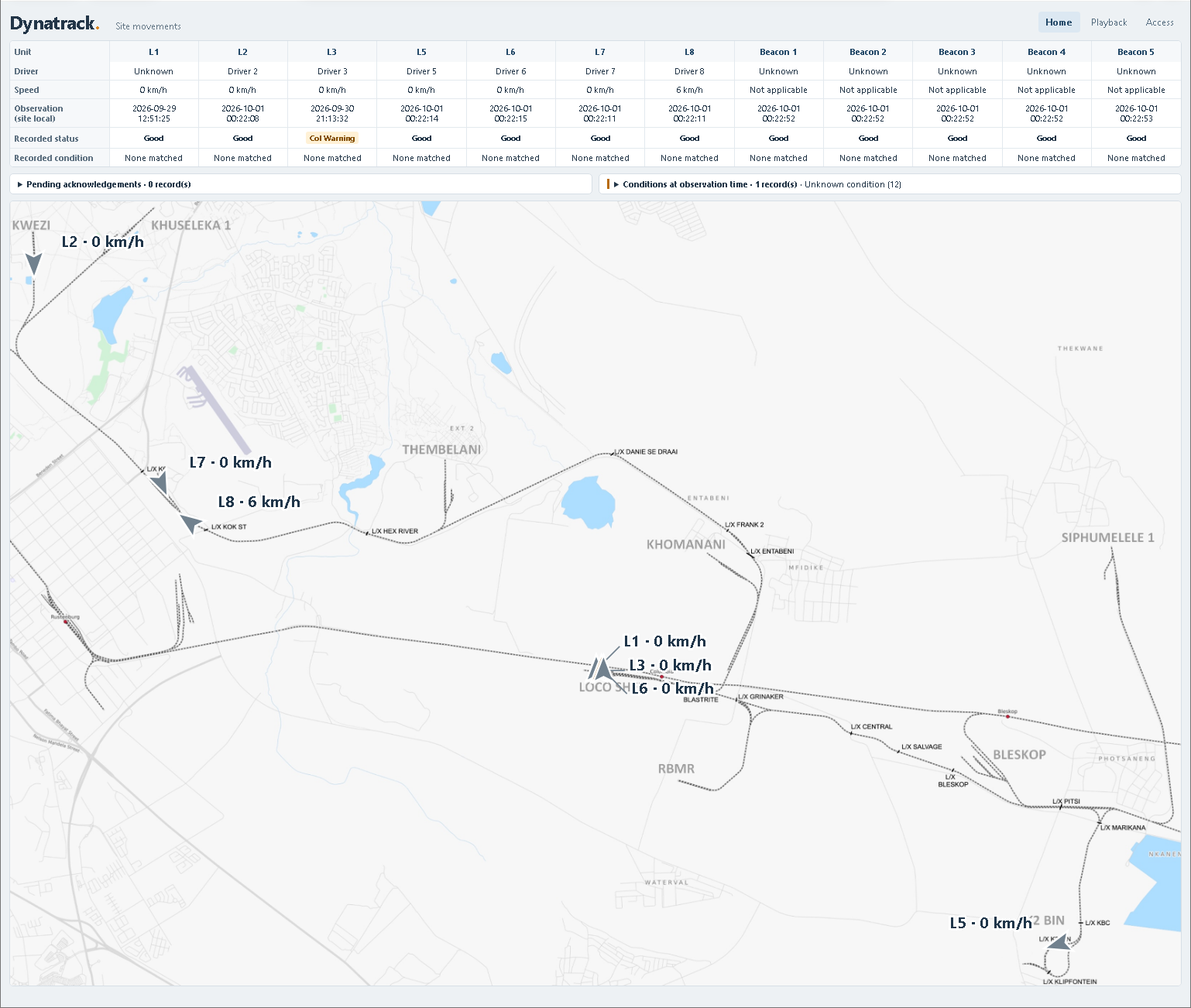
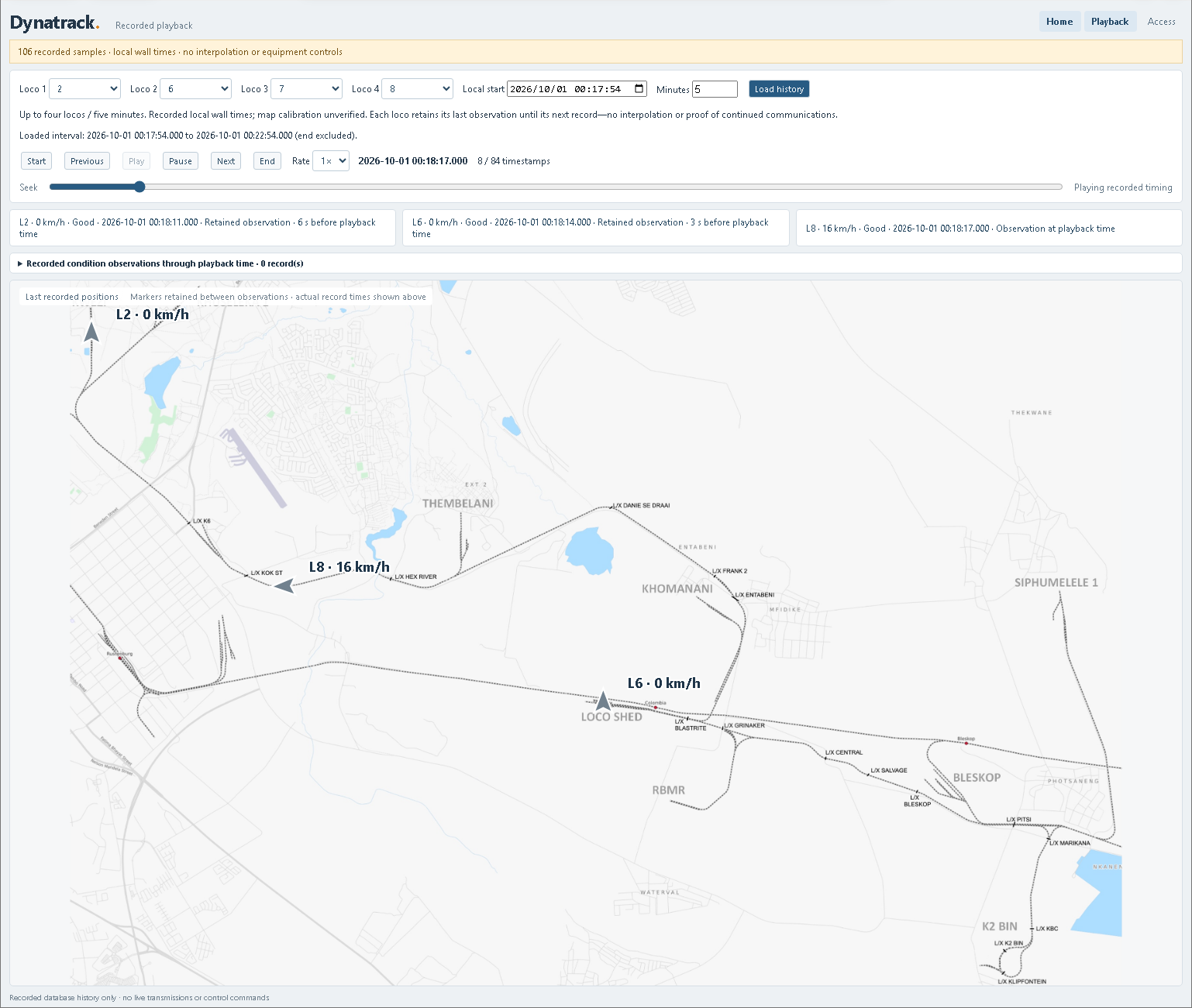
Dynatrack’s browser interface brings map-led fleet monitoring and movement review to authorised site-network workstations, with locomotive details, reported speed, direction, driver and operating status in one view.
Review recorded movements alongside available warnings, events and operator notes, then use the system’s reporting tools for operational follow-up. Specialist desktop reporting and configuration tools remain available where required.
The shared browser interface simplifies viewing access, updates and ongoing support across workstations, allowing the viewing arrangement to grow with the operation.
Field units
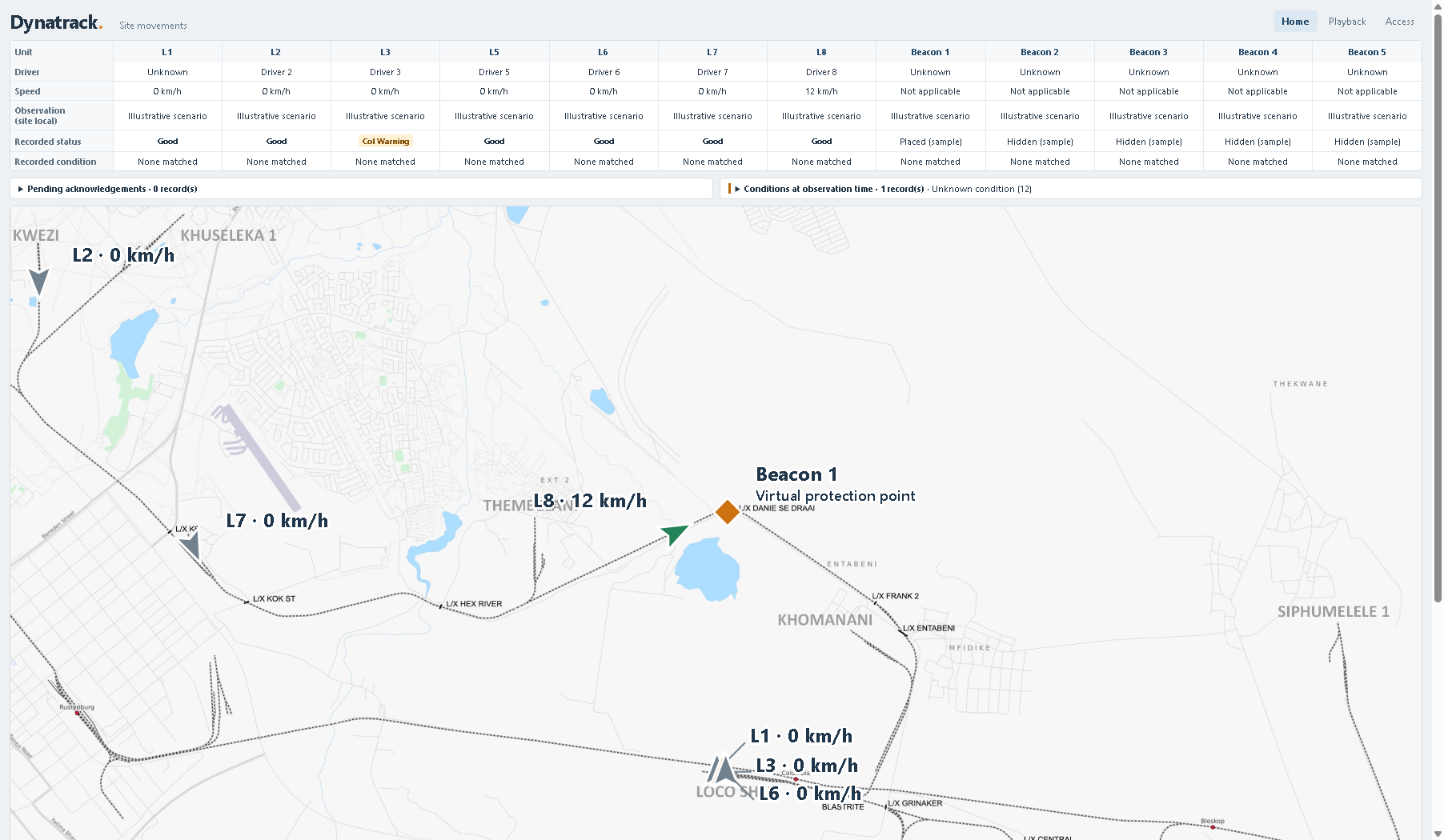
Mobile/rover units provide a system identity for temporary rail-bound vehicles. Physical worker-protection beacons and virtual beacons identify configured protected locations and participate in the site’s warning and intervention rules.
The field-unit arrangement, authorised management and communications coverage are defined for the operation.
Deployment and integration
Dynatrack combines onboard equipment, a dedicated operational radio network, field repeaters and the established back-office system. Coverage, mounting, power, locomotive interfaces and mapped operating rules are engineered for the site.
The voltage-free intervention contact interfaces with the locomotive’s braking systems to apply braking.
OTT develops the controller, embedded software and mapping/configuration tools, and supports installation, diagnostics and maintenance. Project-specific support arrangements are agreed with the customer.
Operating responsibility
Dynatrack supports the railway’s operating arrangements; it does not remove the need for trained operators, operating rules, inspection, maintenance or site-specific engineering assessment.
Collision avoidance and speed adherence describe the system’s purpose, not a guarantee that every collision or overspeed event will be prevented. Performance and intervention depend on the agreed configuration and operating conditions. No formal safety certification is claimed here.
Application review
Tell us about the rail network, fleet size, locomotive types and the movements you need to manage. Include the functions you require, known communications constraints and existing control or back-office interfaces. We can then define the appropriate scope and engineering work.